Resources
Helpful guides and tutorials for the GreenBritain community
Kraken Pro Setup Guide
Account Verification
Your account will take 24 to 72 hours to verify after opening.
Step 1: Deposit Funds
1
Open Kraken app and view your Portfolio
2
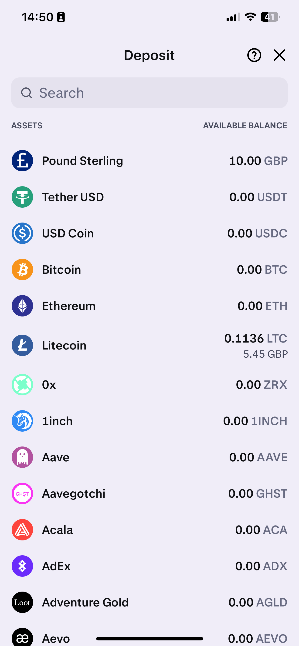
Press Deposit
3
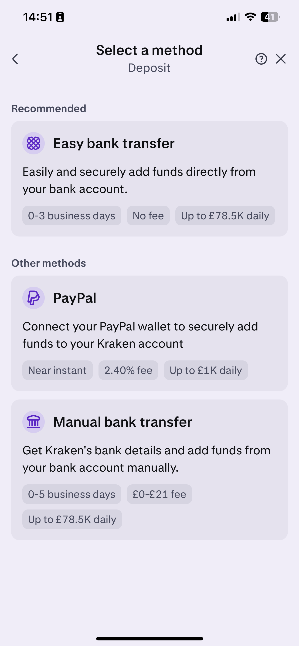
Choose Easy bank transfer or Manual bank transfer. You will get your own sort code & account number.
4
Add the bank details as a business payee on your bank account and transfer £10 to start. Your portfolio will update once the funds arrive.
Step 2: Buy Litecoin
1
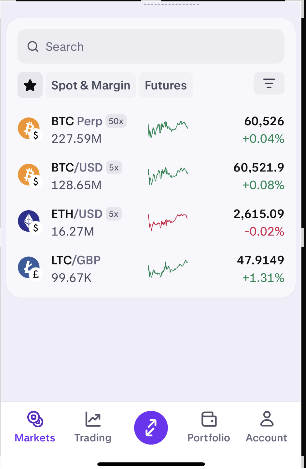
Go to Markets tab
2
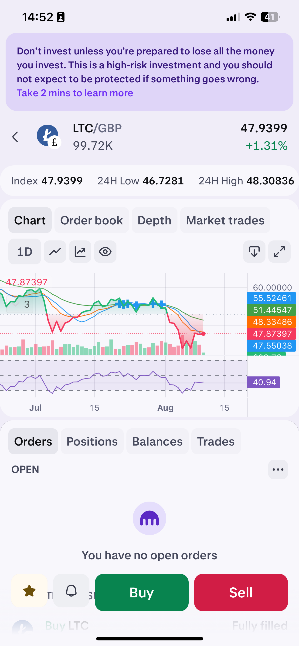
Find and select LTC/GBP (Litecoin)
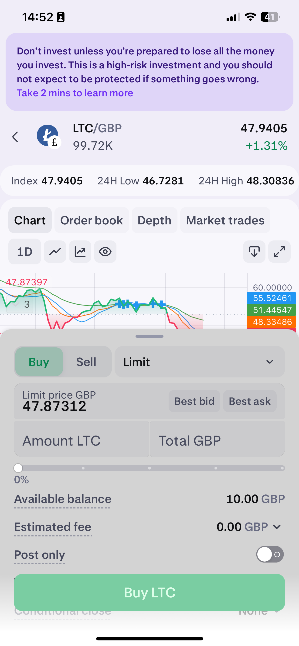
3
Press Buy, then press Market to change order type

4
Enter the amount in GBP you want to spend (e.g., £10)
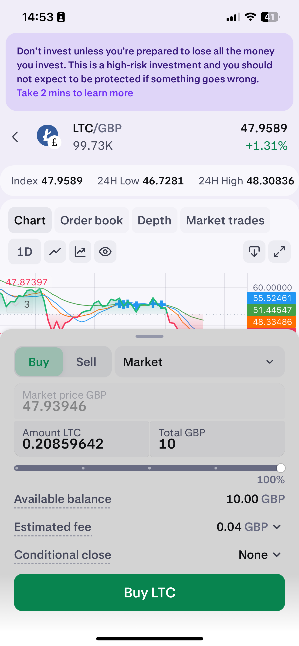
5
Review the order and Swipe to confirm purchase

6
Order filled! Press Done
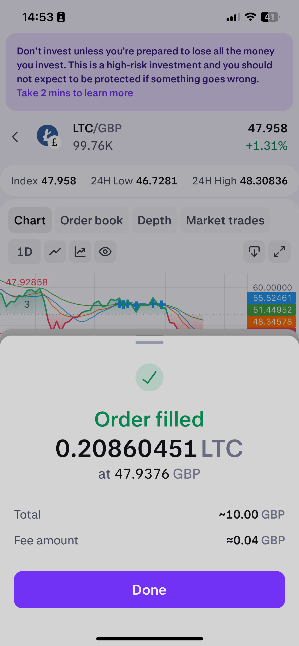
Step 3: Withdraw Litecoin to Wallet
1
Go back to Portfolio and you'll see your Litecoin balance

2
Press Withdraw button
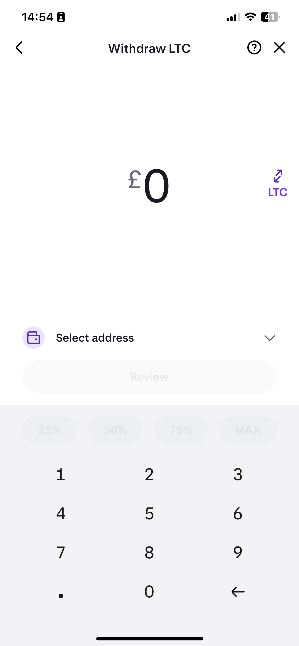
3
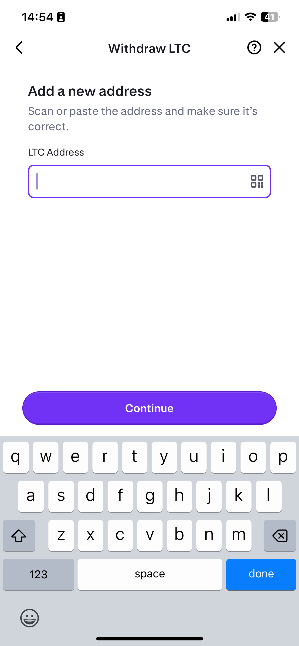
Press Select address and add the LTC wallet address you were provided
Important
Double-check the LTC address matches exactly what you were provided. Sending to the wrong address means you'll lose your funds permanently.
4
Enter the amount of LTC to send and review the details

Safety Tip
If you're unsure, you can send a small test amount first (e.g., £5 worth). Once confirmed received, send the rest.
5
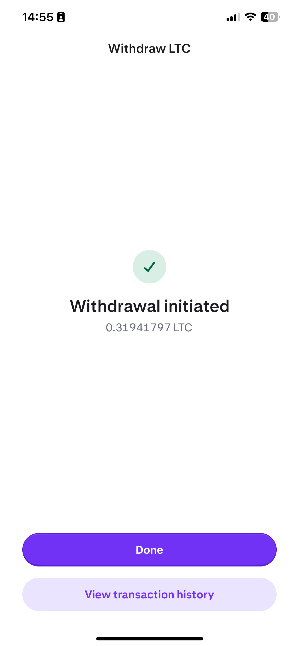
Swipe to withdraw and complete the transaction. Your withdrawal will be initiated.
6
Done! Your Litecoin is on its way.
Bank Verification Note
You must add the Kraken Pro bank details as a business payee to your bank account. Your bank may ask you to confirm it is you sending the funds.